
For event organisers
Your event, on WhatsApp.
No attendee app. You run it in the browser with Microsoft. Keep the registration tool you already use, and upload the list.
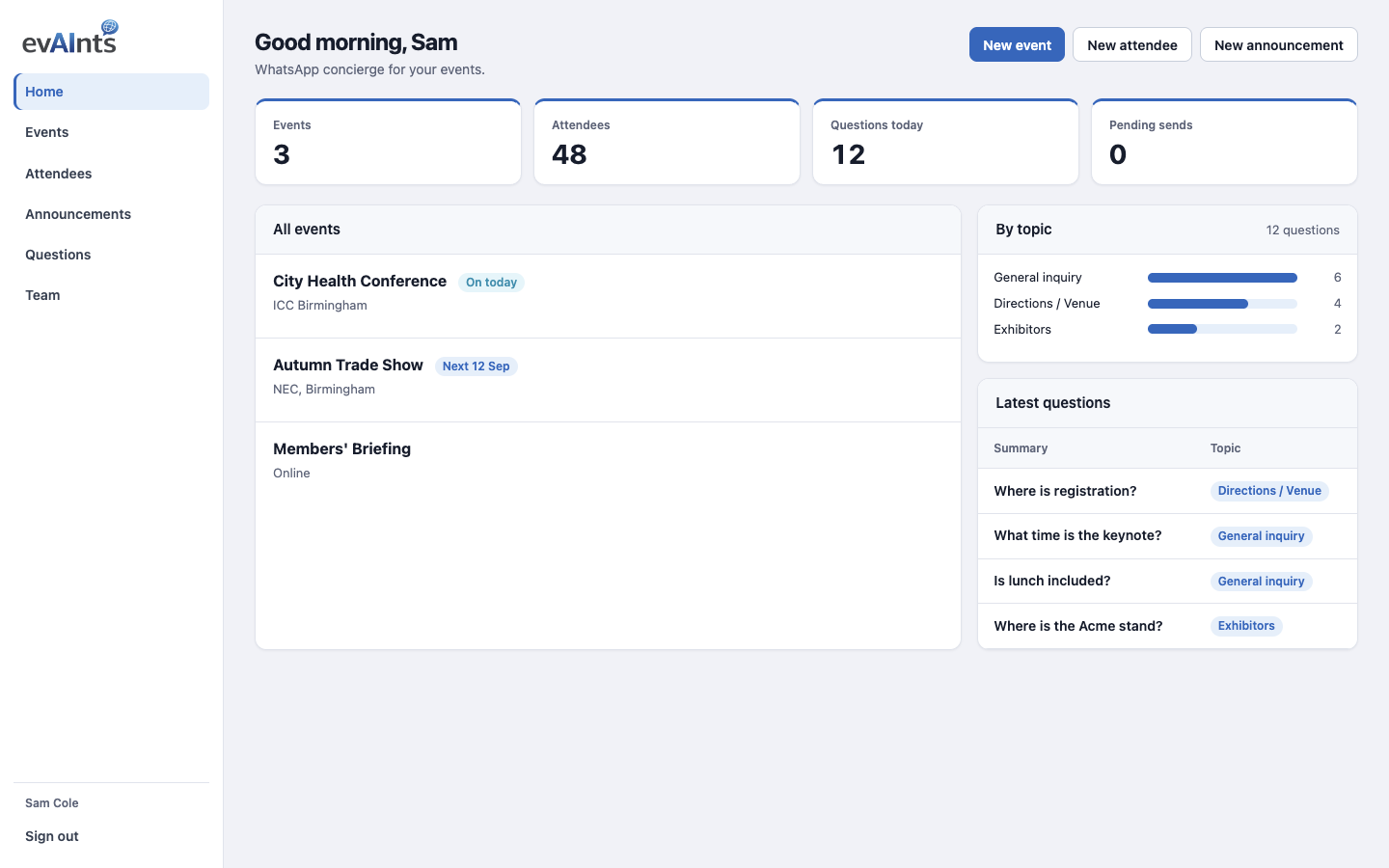
Two sides. One event.
You (organiser)
Web app, Microsoft sign-in
- Create the event and programme
- Upload attendees (CSV is fine)
- Send WhatsApp announcements
- See live questions
Them (attendees)
WhatsApp, no account
- No app to download
- If you save a mobile number, they get a welcome WhatsApp — that is how they start
- Ask about times, rooms, exhibitors, FAQs
- Ask in the language they use
What you do in the console
This is not another attendee app. You load the show; they stay on WhatsApp.
Create the event
Name, venue, programme, FAQs and files. That is what WhatsApp can answer.
Add attendees
One by one or a spreadsheet. Keep your registration platform — upload the list here.
Send announcements
Draft, send now, or schedule. WhatsApp goes to people with a number and consent.
See the questions
A log, not an inbox. If the same thing repeats, add an FAQ or send an announcement.
Attendees
They already have WhatsApp
No download. No attendee account. They ask about times, rooms, exhibitors and who is here. Answers follow the language they wrote in.
Ask evA
Your event assistant, in the console
On an event you can ask evA about that event — who is signed up, what’s on the programme, what people have been asking. You can also ask evA to WhatsApp a named attendee. Attendees never see this; it is for organisers.

How you get a workspace
- Request access — organisation, contact, and a sense of your events.
- Microsoft invite — submitting the form creates the organisation workspace and sends a guest invitation to the work email.
- Run the event — accept the invite and log in. One licence is included; invite colleagues from Team. Upload attendees; a mobile number can send a welcome WhatsApp.
Want a walkthrough first? Book a demo — that does not create a workspace.
Ready to run an event on evAInts?
Request access to create your workspace, or book a demo of the organiser app.
Already set up? Log in.